My Profile
Access and manage your personal information, fleets, preferences, and account security. To open My Profile, select the person icon on the right side of the header.

Personal information⚓︎
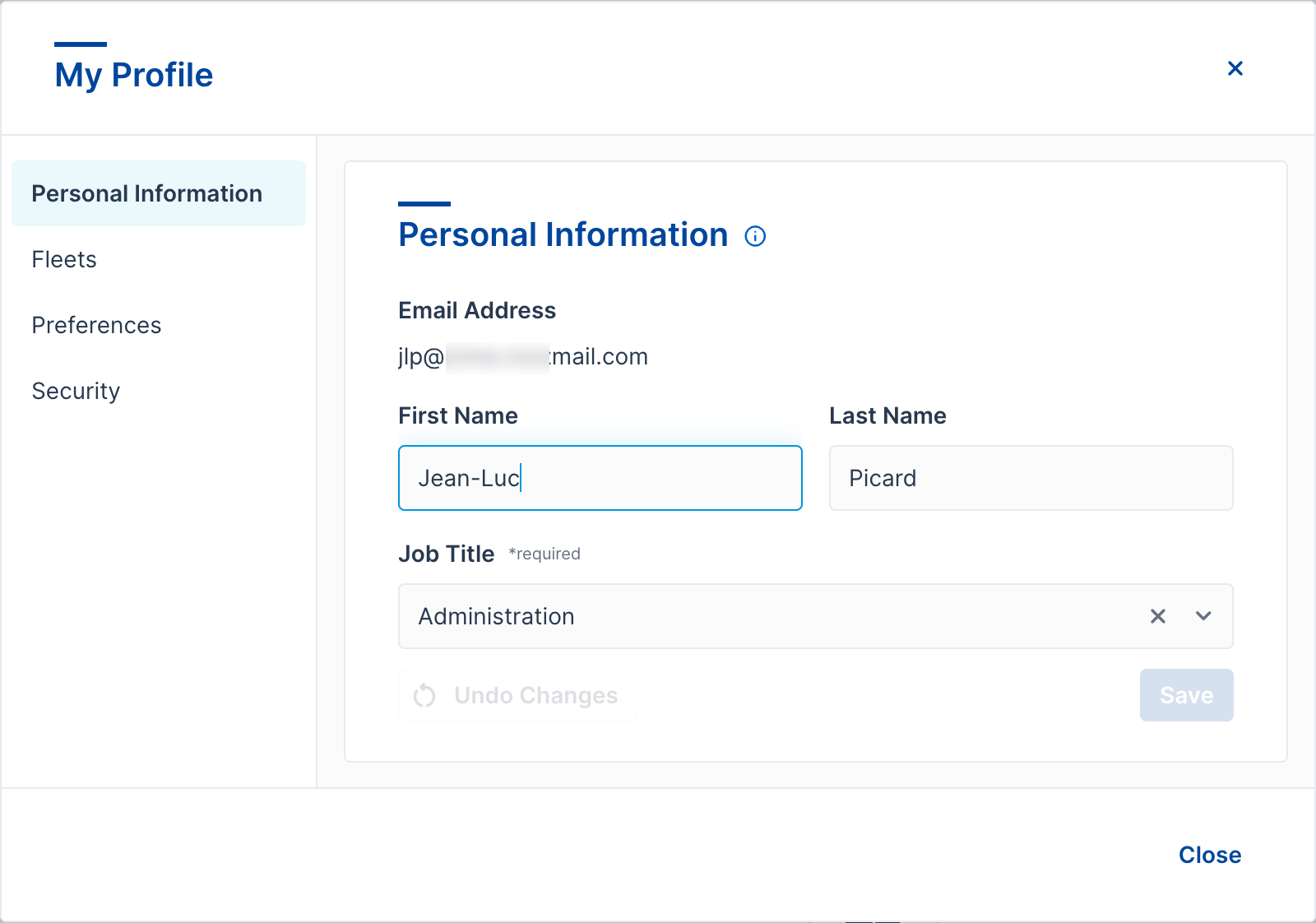
Enter your first and last names and choose your job title. This information is visible to others — for example, when you give feedback.
Fleets⚓︎
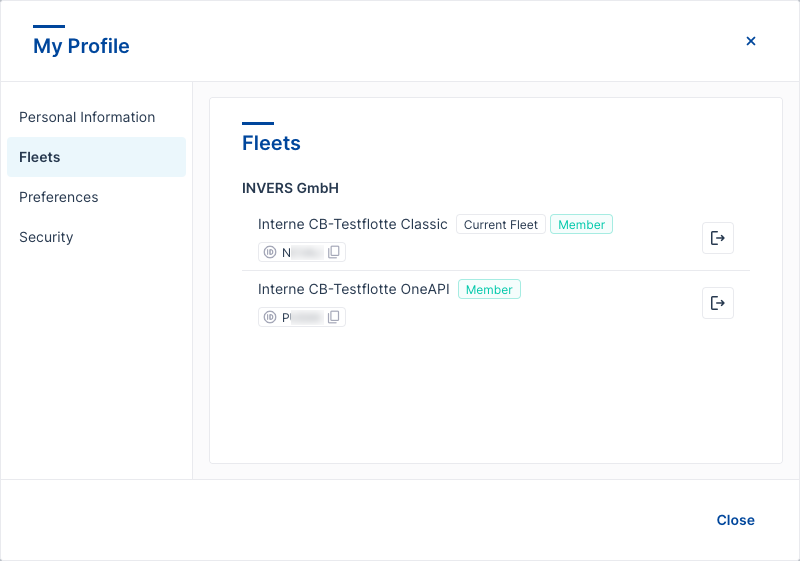
The Fleets tab lists all the fleets you’re a member of. Each fleet shows one or more tags.
Copy the fleet ID — select the fleet ID to copy it to your clipboard.
Current fleet — shows which fleet is currently displayed. This tag only appears if you belong to more than one fleet.
Fleet tags:
- Member — you are an active member of this fleet.
- Invitation pending — you’ve been invited to join this fleet but haven’t accepted yet.
Preferences⚓︎
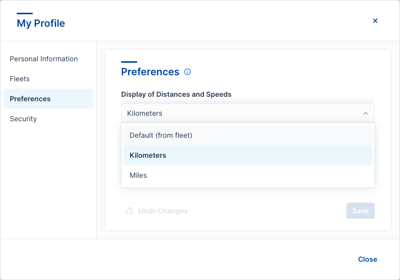
Set your display preferences for FleetControl. These settings apply only to your account.
Display of distances and speeds — choose between metric (km, km/h) and imperial (mi, mph) units, or select Default (from fleet) to use your fleet’s setting.
First day of the week — set which day FleetControl treats as the start of the week in calendars and date pickers. Select System default (Monday) to use the platform default.
Date format — choose how dates appear across FleetControl, for example dd/MM/yyyy or MM/dd/yyyy. Select System default to use the platform default.
Time format — choose between 24H and 12H (AM/PM) display. Select System default to use the platform default.
A live example below the dropdowns shows how your date and time will appear before you save.
Select Save to apply your changes. Select Undo changes to discard them.
Security⚓︎
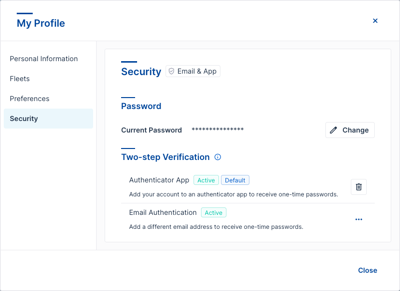
Change your password and manage two-step verification. Two-step verification adds a second form of authentication when you sign in.
For setup instructions, see Two-step verification.